 Dan W.@dan_wlsn
girls who take gym selfies are so desperate 😅
10:24 PM · 14 Apr 2013
01 What we scan
Scan old activity across Instagram, Facebook and X, then choose exactly what you want to delete.
Choose the platform and activity. Review for free. Clean up only if you want to.
Download & scan for free02 Why it matters
Look through what you shared years ago and decide what still belongs.
Dan W.@dan_wlsngirls who take gym selfies are so desperate 😅
10:24 PM · 14 Apr 2013
High risk
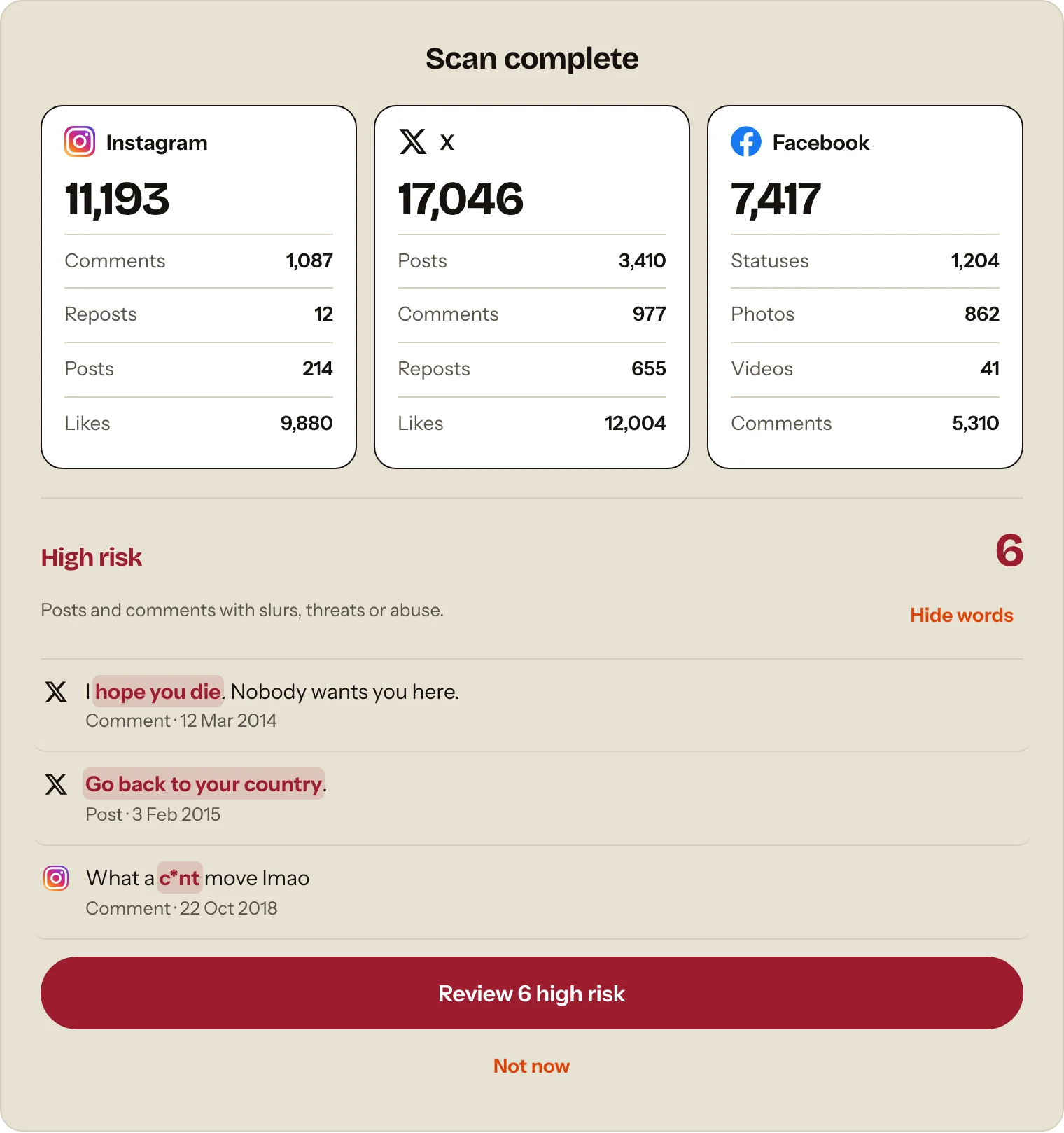
Spot slurs, threats and abuse in your scanned history. Review the matches and choose what to delete.
Free to scan and review. Paid to delete.
03 How it works
Your password is never asked for.
Private by design. Your content stays in your browser.
Choose a platform and activity to scan for free.
See everything found before anything is removed.
Optional paid cleanup, only after you confirm.
04 Pricing
Every paid plan includes all supported platforms.
£0
See what’s there.
£9.95/ month
Delete what you find.
£69.95/ year
A full year of access.
£99.95once
One payment. No renewal.
Cleaning up for clients? Contact us about agency access for multiple client accounts.
Agency options →05 FAQs
No. That Was Then never asks for your social-media password. The extension works with the Instagram, Facebook or X account you're already signed into in Chrome. If you're not signed in, the platform may ask you to log in first. You log in directly with Instagram, Facebook or X. Your password is not entered into or collected by That Was Then.
That Was Then uses built-in pacing and pauses to reduce the risk of platform restrictions. It works through the account you're already signed into in Chrome and doesn't ask for or store your social-media password. That said, Instagram, Facebook and X control their own platforms, so no third-party tool can promise that an account will never be restricted or challenged. If a platform asks you to log in again or complete a security check, That Was Then pauses so you can do that directly with the platform.
Yes. Scanning and reviewing your supported Instagram, Facebook and X activity is free. You can see what That Was Then finds before paying anything. You only pay if you decide you want to use the cleanup service to remove activity.
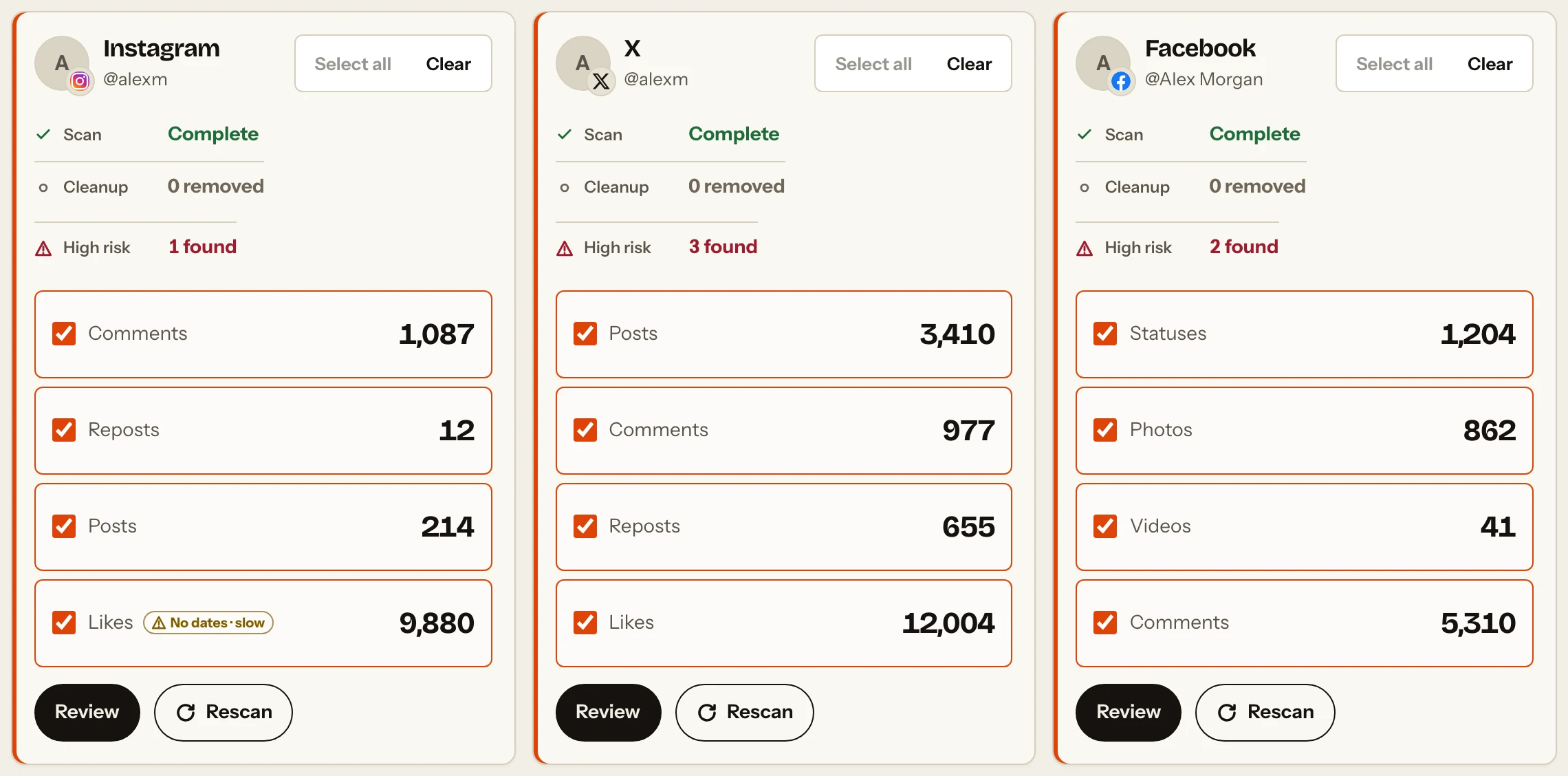
That Was Then can scan: Instagram: posts, likes, comments and reposts Facebook: posts, photos, comments and videos X: posts, likes, replies and reposts You can scan your activity for free, see what That Was Then finds and then decide what you want to clean up. For most activity, you can review the individual items before choosing what to remove. Instagram Likes work differently: you can see how many Likes were found, but not review each Like individually before cleanup.
Yes. It can scan activity going back years, as far back as the platform makes it available. If you've had your account for a long time, the scan may simply take longer because there's more history to work through. This is especially true for Likes, where some accounts may have thousands. Once the scan is finished, you can use the available date filters to focus on the period you actually want to review or clean up.
Yes. You can select multiple items and clean them up together rather than deleting everything manually yourself. That Was Then scans your old activity first. You can then review the results, select what you want gone and clean up your selection together. You stay in control: scanning doesn't delete anything, and you choose what gets removed.
Yes, where date filtering is available for that activity. After scanning, you can use the available date filters to focus on activity from a particular period and choose what you want to review or clean up. Instagram Likes are the main exception because Instagram does not provide a reliable date for each Like. That means you can work through a specific part of your Instagram, Facebook or X history instead of having to deal with everything at once.
That Was Then is built to scan all of the supported activity it can access on your account, however far back it goes. If you have years of posts, comments, Likes or other activity, it may take longer to complete the scan, particularly on large or very old accounts. Most importantly, That Was Then won't pretend an unfinished scan is complete. If something interrupts the scan before it reaches the end of your available history, it tells you the scan is incomplete so you can continue it.
Yes. That Was Then is a digital footprint checker for your social-media history. It scans supported activity from your Instagram, Facebook and X accounts so you can see old posts, Likes, comments, reposts and other supported activity that is still connected to you. You can review what it finds for free and, if you want to, use That Was Then to clean up the activity you no longer want. It focuses specifically on your social-media footprint. It doesn't search the rest of the internet, Google results, data brokers, breach databases or the dark web.
No. Scanning does not delete anything. You scan first and review what That Was Then finds. Cleanup is a separate step, and you choose whether you want to remove anything. That means you can use the free scan simply to see what's there without committing to deleting your social-media history.
That Was Then cannot restore activity after it has been removed. Some social platforms may provide their own recovery options for certain types of content, but you shouldn't rely on these. Check your selection carefully and save anything you want to keep before starting cleanup.
No. That Was Then does not delete your social-media account. Cleanup only applies to the supported activity you choose to remove, such as old posts, likes, comments, photos, videos or reposts. Your Instagram, Facebook or X account itself remains active.
Your scanned social activity stays in the extension's local browser storage for review. That Was Then does not send a server-side copy of your posts, comments, likes or other scanned social activity to its service. Account access, payments and optional telemetry are separate service flows and are explained in the Privacy Notice.
That Was Then is a Chrome extension for desktop and laptop computers, so you'll need to use desktop Chrome to run a scan or cleanup. The changes are made to your social-media account itself. So if you remove an Instagram post using That Was Then on your laptop, for example, that post will also be gone when you open Instagram on your phone.
06 Get started
Download That Was Then and scan your supported social activity for free. Review what it finds before deciding whether you want to remove anything.
Download & scan for free