Your history stays in your hands.
The extension works inside the browser you are already signed into. Choose what you want to look for, review everything it finds, then decide what stays and what goes.
Scan and review for free. Optional paid cleanup.
Start with the extension in desktop Chrome, connect a platform you are signed into, and choose an activity to scan. That Was Then is a Chrome extension for finding, reviewing and cleaning up supported social activity on Instagram, Facebook and X.
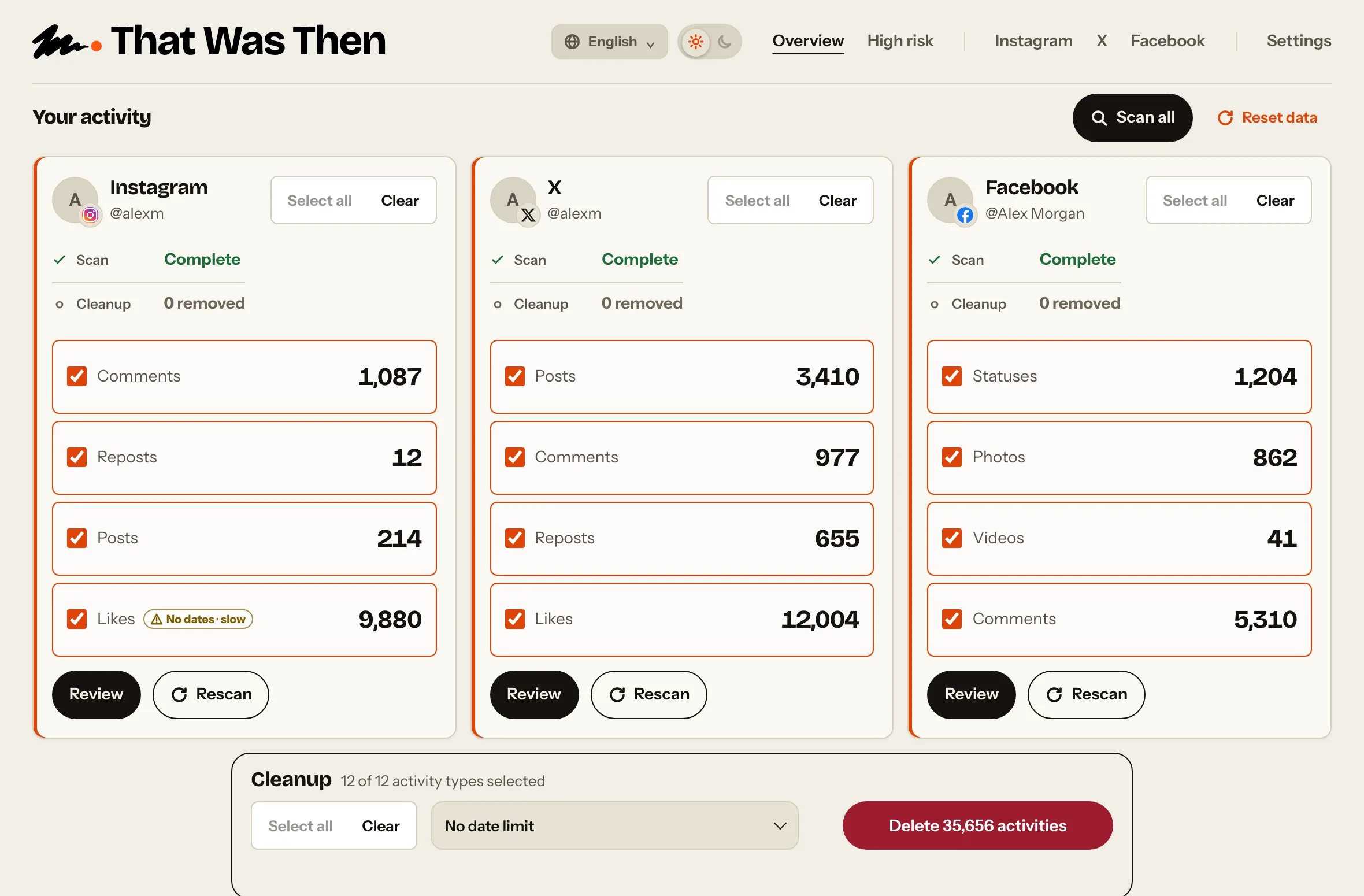
01 Scan
Find what is still out there.
Choose Instagram, Facebook or X and the activity you want to scan. You can scan one activity or several at once.
02 Review
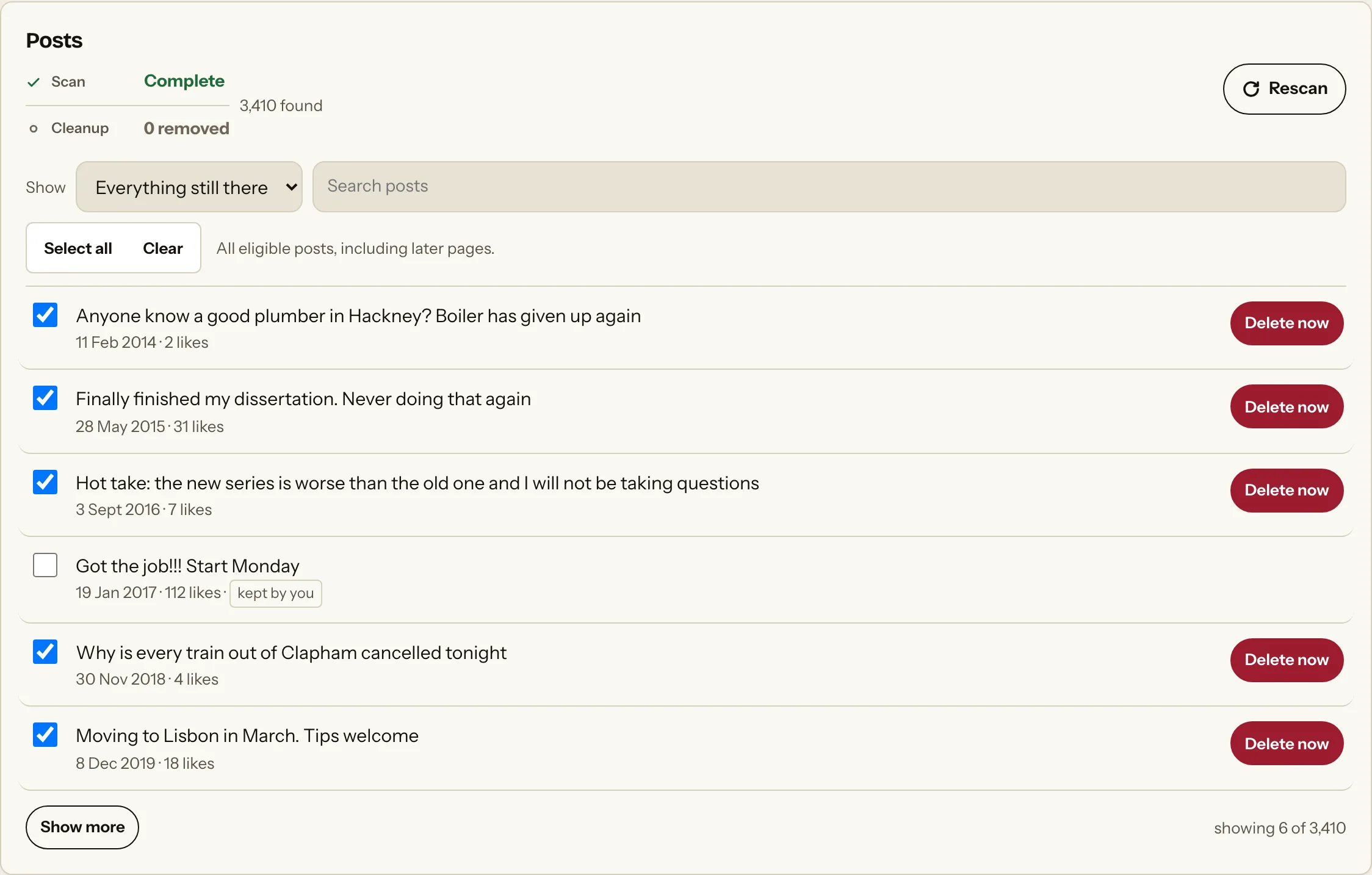
See it before you touch it.
Go through what the scan finds. Keep what you want and select what you do not.
Nothing is removed at this stage.
03 Clean up
You make the final call.
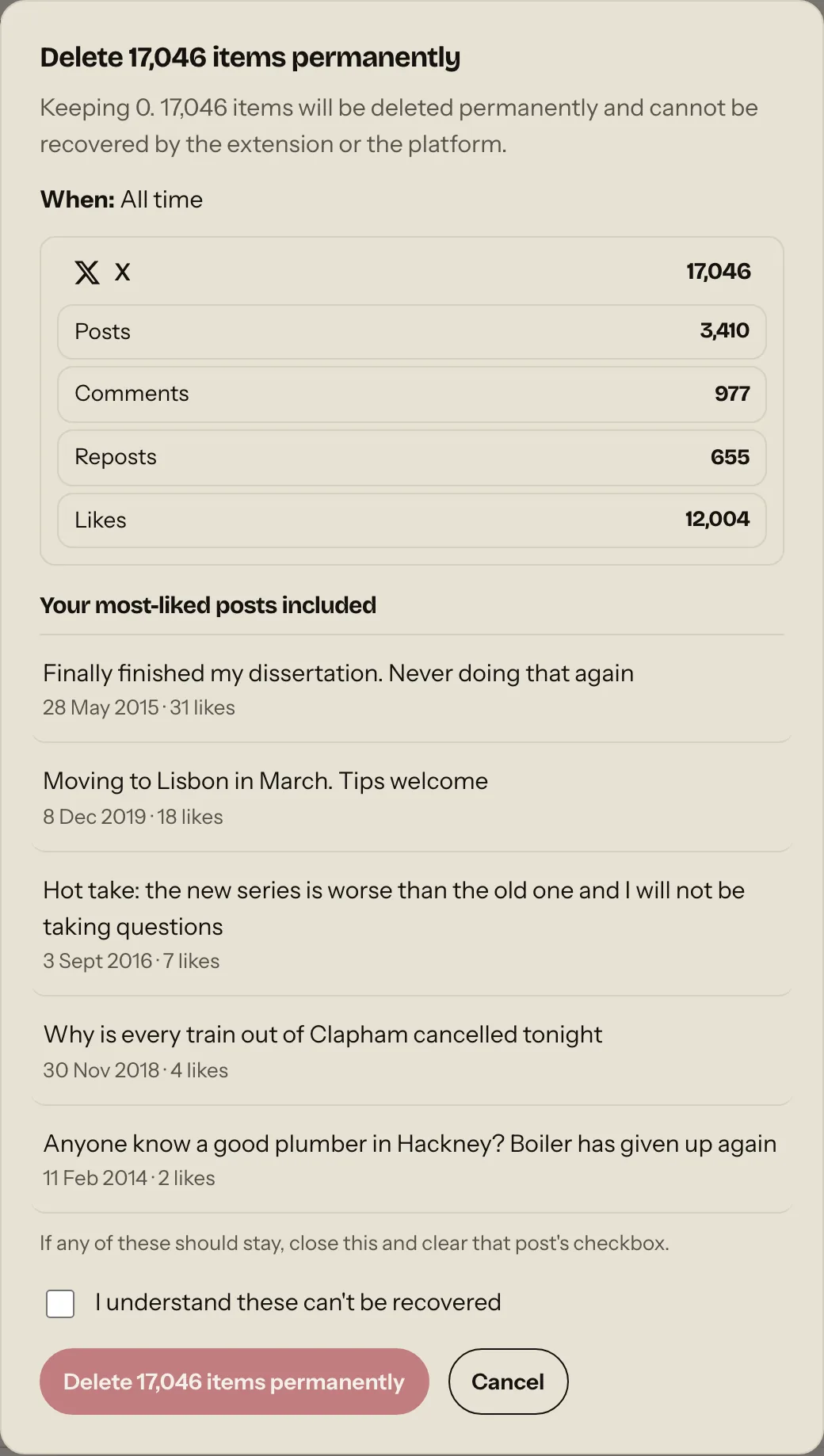
Choose what goes and confirm the deletion. The extension uses the platform you are already signed into to remove your selected activity. Cleanup is optional and paid.
Nothing deletes until you confirm.
Your password neverenters the picture.
The extension works inside your signed-in browser session. What a scan finds stays in your browser and is not uploaded to us.
No password required · Local scanning · You stay in control