Private test build

Delete Facebook comments

Delete Facebook comments scattered under years of other people’s posts. The extension finds your own comments so you can clear them in one pass.

Source
Activity Log comments
Removal design
Delete selected comments
Date support
Where Facebook exposes a date
Availability
Not live-verified

Short answer

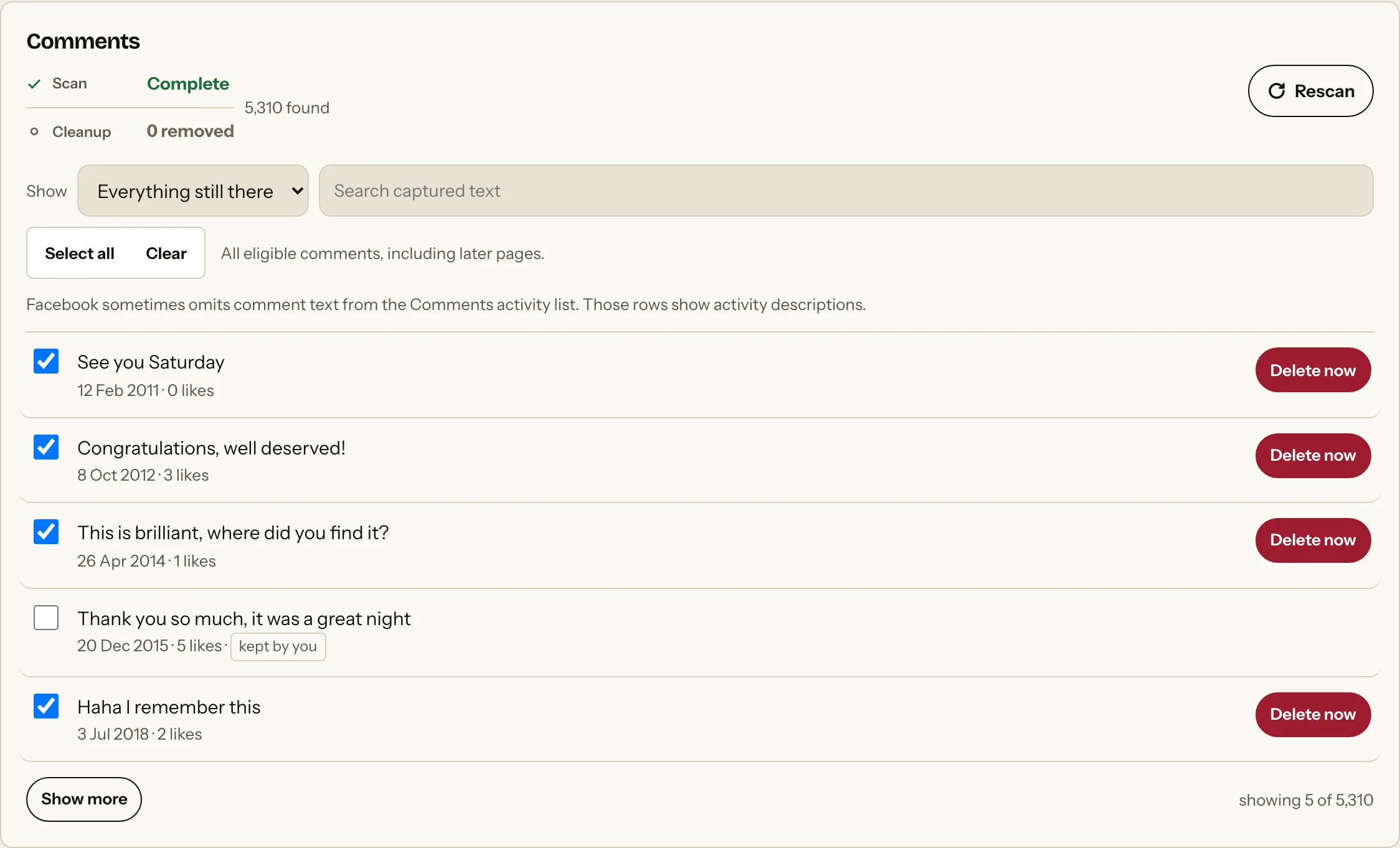
Facebook keeps your comments in a separate Activity Log section from your posts, and each one is removed on its own. There is no native control that clears a comment history in a single action. The extension scans that comments section, keeps it separate from statuses and media, and lets you review each comment before a delete attempt. A comment counts as removed only after a fresh complete reread can no longer find it.

Limit

Comments remain separate from statuses, photos and videos. Removal is confirmed only after a fresh complete reread; otherwise the result stays unknown.

Why native cleanup is hard

The platform controls work. They were never built for history, which is the friction people hit before they look for anything else.

  • Comments are scatteredYour comments sit under other people’s posts across years of activity, so no single page gathers them for you.
  • One at a timeThe Activity Log deletes one comment per interaction, with no native way to clear a batch.
  • Context is missingA comment shown without the post it answered is hard to judge, and the log shows little around it.
  • Some dates are absentWhere Facebook exposes no date, year-based filtering cannot include that comment.

What actually changes

The platform controls still do the deleting. The extension changes how you get to them.

TaskOn the platform itselfWith the extension
Find them in one placeScattered under other people’s postsCollected into one list from the Activity Log
Remove more than oneOne comment per interactionA reviewed batch, ticked before anything runs
Filter by yearWhere Facebook exposes a dateSame dates, applied across the found list
See the contextLittle shown around each rowSame limitation, stated rather than hidden
Confirm it wentNo confirmation offeredOnly after a fresh complete reread finds it gone
Asks for your passwordNot applicable, it is FacebookNever. It uses the tab you already signed into

What this page covers

Every way people ask for this.

How to delete Facebook comments

Your comments sit in their own Activity Log section, separate from posts. The extension reads that section, keeps it apart from statuses and media, and lets you work through it as one list instead of hunting through years of other people’s threads.

Delete all comments on Facebook

There is no native control that clears a comment history in one action. The extension gives you one reviewed selection instead, and each removal still runs through Facebook’s own control.

How to delete old Facebook comments

Where Facebook exposes a date, you can narrow to a year and clear the oldest first. Comments without an exposed date stay visible for item-level review but sit outside dated cleanup.

Remove your comments without deleting the post

Deleting your comment removes only your comment. The post it sat under belongs to whoever made it and is untouched.

Delete comments you left on pages and groups

Comments on pages and in groups appear in the same Activity Log section as any other comment, provided Facebook lists them as your activity.

Can you delete comments on Facebook in bulk

Not natively. Facebook removes one comment per interaction. The extension reduces the finding and choosing, not the number of native actions.

Scan, review, then act.

The extension keeps discovery, selection and action as separate decisions.

  1. 01

    Scan the supported source

    The implementation reads the current signed-in platform view and labels incomplete results.

  2. 02

    Review every selection

    Apply supported date filters and keep any item you do not want to change.

  3. 03

    Attempt the native control

    Availability depends on the platform and test status above. Submitted is not confirmed; incomplete verification stays unknown.

That Was ThenSigned in on Facebook
Delete from20102014Before 2019All time
Photo album: Ibiza14 photos2014
Status updateText post2013
Comment on a friend’s postYour comment2016
Graduation photosYou unticked this one2018
Shared linkText post2012
2,846 selected1 keptDelete selected
Illustration of the workflow, not a live screen.

Why people do this

The reasons that bring people to this page, rather than a generic case for privacy.

A job search

Comment threads are public in ways people forget, and they surface under your real name.

Old arguments

Heated threads from years ago that no longer represent how you engage.

Privacy housekeeping

Reducing the trail of opinions attached to pages and groups you no longer follow.

A fresh start

Clearing commentary while keeping the account and its connections.

Questions

Specific answers for this activity type.

Does it remove other people’s comments?

No. The extension scans comments listed as activity for the signed-in account.

When is a comment marked removed?

Only after a fresh complete scan can no longer find it. An incomplete reread produces an unknown result.

Can I delete Facebook comments by year?

Where Facebook exposes a date, yes. Undated comments stay available for review but are excluded from dated cleanup.

Does deleting my comment delete the post?

No. It removes only your comment. The post belongs to whoever made it.

Can I get a deleted comment back?

Generally no. Treat comment removal as permanent and export anything that matters first.

Are comments in groups and on pages included?

Yes, provided Facebook lists them as activity for your account.

Will this get my account restricted?

Unknown. The extension acts at a human pace, but platforms can treat unusual volume as suspicious.

Does it work on a phone?

No. The extension runs in desktop Chrome. Facebook’s own Activity Log works on mobile one comment at a time.

Do my comments leave my computer?

No. They stay in Chrome storage. Nothing you wrote is sent to the extension.

Can I keep some comments?

Yes. Untick anything you want to keep before any removal runs.

Before you remove anything

No public build exists yet. The free digital footprint checklist walks through finding what is publicly visible under your name before you start removing anything.