Delete retweets and X reposts
Find old retweets and reposts, review the supported activity the extension can see and choose which shares you want to remove. Scan and review for free.
Optional paid cleanup, after your review.
How to undo a repost on X for free
To delete your own retweet or repost, use X’s Undo Repost control. You can do this in the X app or on the web without installing the extension. Removing your share leaves the original post in place.
Find your repost
Sign in to the X account that shared the post. Find the repost you want to remove on your profile.
Open the Repost control
Tap or click the highlighted Repost icon below the post.
Choose Undo Repost
Select Undo Repost in the menu to remove the share from your profile timeline. Repeat for other reposts you want to undo.
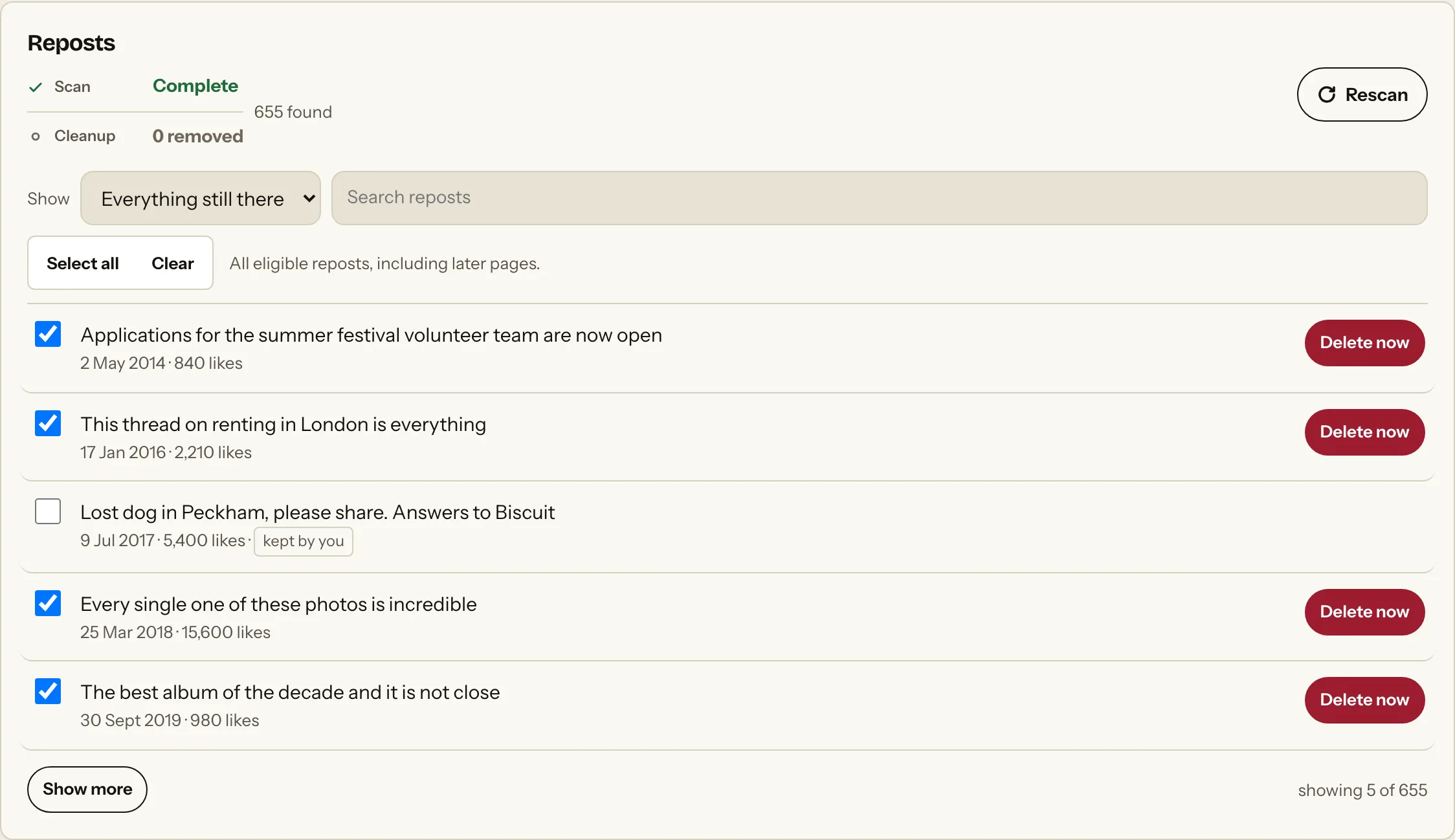
Scan. Review. Clean up.
Scanning and reviewing are free. You choose whether you want to remove anything.
- 01
Scan
Choose the platform and activity you want to look through. That Was Then finds the supported activity available to the extension.
- 02
Review
See what was found and leave anything you want to keep unselected.
- 03
Clean up
Choose what you want removed. Nothing is deleted until you make that choice.
Review several reposts before paid cleanup
Use the extension in Chrome on a computer to scan the supported reposts X makes available. Review the results, leave shares you want to keep unselected and decide whether to continue with paid cleanup. Check the result afterwards: an unconfirmed attempt is not a confirmed removal.
Questions
Answers about finding, reviewing and removing this activity.
What is the difference between a retweet and a repost?
What used to be called a Retweet is now called a Repost on X. Both terms refer to the sharing activity reviewed here.
Does removing my repost delete the original post?
No. X’s Undo repost action removes your share, not the original author’s post.
Can I delete all retweets at once?
X’s native instructions undo one repost at a time. For a longer list, the extension lets you scan supported reposts, review what it finds and choose which shares to remove. Scanning and reviewing are free; cleanup is optional and paid. A scan does not guarantee your complete repost history.
Can I filter reposts by date?
The current browser scan does not have a reliable date for when you reposted. It does not use the original post’s date as a substitute.
Are Quote posts included?
A Quote post is a separate post you published with added commentary. In X, find your Quote post, open its menu, choose Delete Post and confirm Delete. In the extension, review Quote posts under Posts, not Reposts.
Why is a repost still visible after I undo it?
X says a repost can still appear in a cached mobile timeline or in copies on third-party sites after you undo it. Reload your profile to check the current view. Do not treat a cached copy as proof that the original share is still active.
Does Turn off Reposts remove my old reposts?
No. Turn off Reposts controls whether you see future reposts from a particular account you follow. It does not undo your own shares or remove reposts already in your timeline.
Related activity
Explore another activity on X.
Ready to see what's still there?
Download That Was Then and scan your supported social activity for free. Review what it finds before deciding whether you want to remove anything.