Delete all tweets
Find old tweets and X posts, review what the extension finds and choose which ones you want to remove without deleting your account. Scan and review for free.
Optional paid cleanup, after your review.
How to delete old X posts without deleting your account
X has no built-in bulk-delete control. You can delete your own posts individually in the app or on the web while keeping your account. Back up anything you want to save before you begin.
Check your backup first
Request your X archive, wait for the download and open the files before removing posts you want to keep a copy of. X says preparing the archive can take a few days.
Find a post you wrote
Sign in to the right X account and open your profile. Find a post you want to remove.
Delete the post
Open the post’s menu, choose Delete post and confirm Delete. Repeat for the other posts you want to remove.
Check the result
Reopen your profile and the post to check what remains. Deleting a post does not remove screenshots, copied text or copies on other websites.
X help: deleting individual posts and the native bulk-delete limit
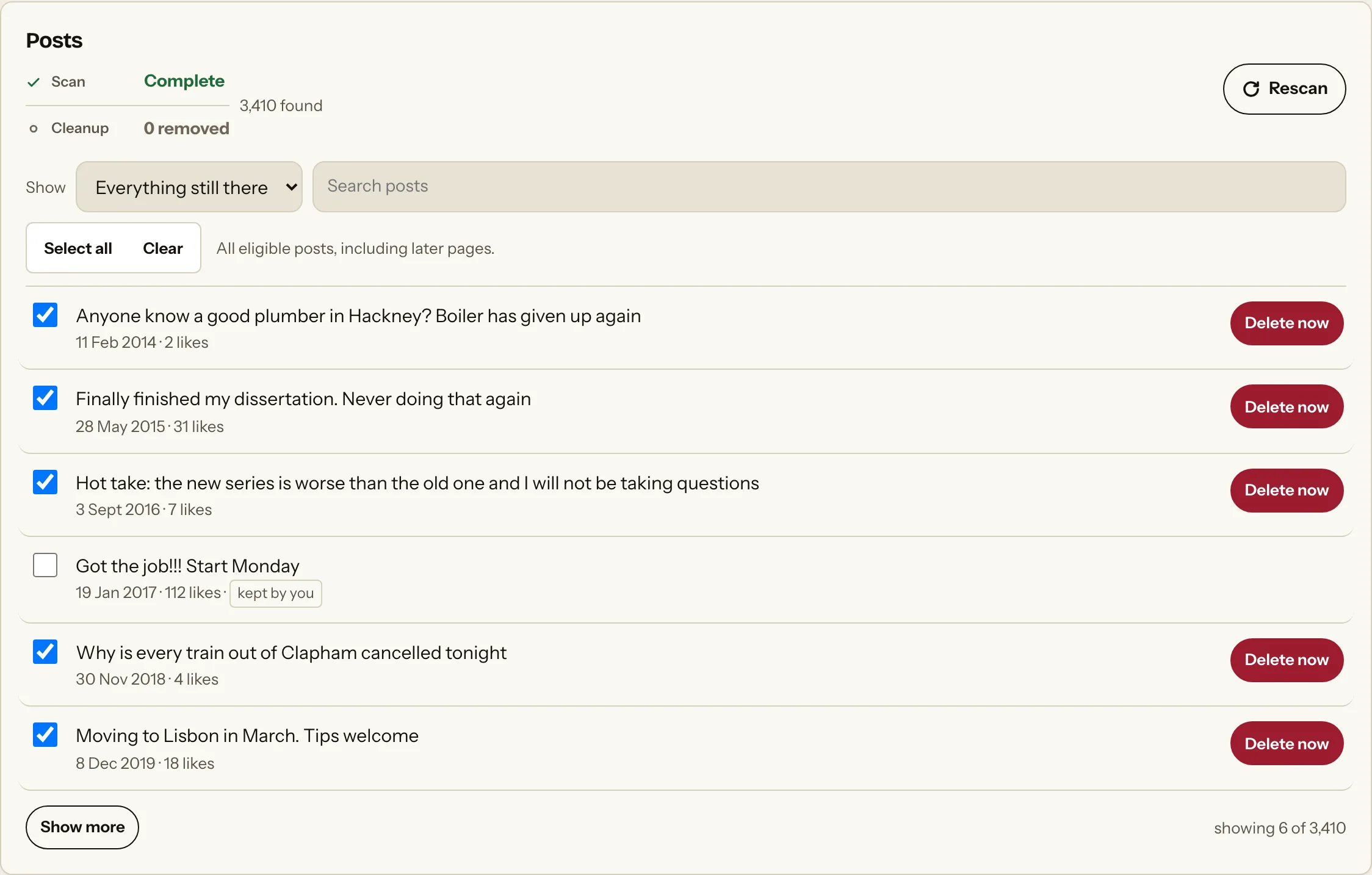
Scan. Review. Clean up.
Scanning and reviewing are free. You choose whether you want to remove anything.
- 01
Scan
Choose the platform and activity you want to look through. That Was Then finds the supported activity available to the extension.
- 02
Review
See what was found and leave anything you want to keep unselected.
- 03
Clean up
Choose what you want removed. Nothing is deleted until you make that choice.
Review several posts before choosing paid cleanup
X’s own tools are enough for a few known posts. For a longer review, use the extension in Chrome on a computer to scan the supported posts X makes available. Leave posts you want to keep unselected. Replies and reposts have separate categories. Review the coverage and selection before deciding whether to pay for cleanup, then check any unconfirmed result in X.
Questions
Answers about finding, reviewing and removing this activity.
Can I bulk delete tweets?
X itself only offers individual post deletion. In the extension, you can scan supported posts, review what it finds and select posts for optional paid cleanup. A completed scan is not a guarantee that every post in your history was found.
Can I delete all tweets for free?
You can use X’s own controls to delete your posts one by one without paying for the extension. Scanning and reviewing in the extension are free; cleanup requires a paid plan.
Should I download my X archive first?
Yes, if you want to keep copies. Request the archive before cleanup, download it and open the files to check the posts and media you want. An export request is not the backup itself, and having a backup does not restore a deleted post to X.
Can I delete tweets by date?
Yes, where the scan has a reliable date for your activity. Items with missing or approximate dates remain available for individual review and are excluded from dated cleanup.
Does this delete my X account?
No. It acts on the posts you select, not your account.
Are replies included?
Replies are reviewed separately as Comments. Use the Twitter replies page linked below.
Are reposts included?
Reposts have a separate review. Use the retweets and X reposts page linked below.
What happens after an X post is deleted?
X removes the post from your account and timeline. Copies other people made, screenshots and cached pages may remain.
Related activity
Explore another activity on X.
Ready to see what's still there?
Download That Was Then and scan your supported social activity for free. Review what it finds before deciding whether you want to remove anything.