Delete Instagram reposts
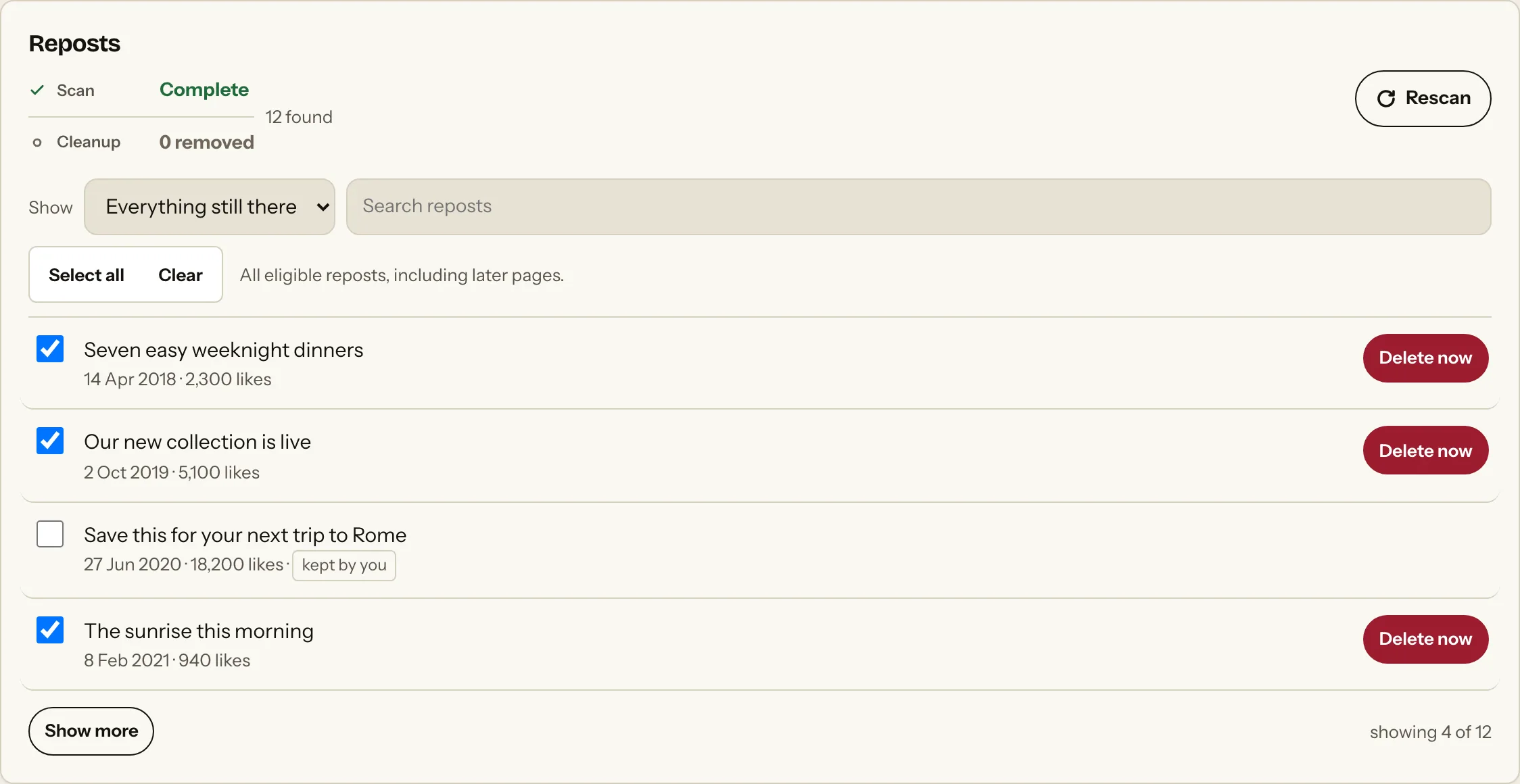
Delete Instagram reposts without touching the original posts. The extension finds your reposts in Your Activity and removes the ones you pick.
- Source
- Instagram Your Activity Reposts
- Removal design
- Remove selected reposts
- Date support
- No reliable reposted-at date
- Availability
- Historical test; current build unverified
Short answer
Reposts sit in their own section of Your Activity, separate from the posts you made yourself. Removing one changes only your repost; the original belongs to whoever made it and stays where it is. The extension scans that Reposts list and lets you review items before a native removal attempt. Instagram exposes no dependable reposted-at date, so the extension offers no date filtering here.
Limit
Removing a repost does not delete the original post. The extension does not promise action-date filtering for reposts.
Why native cleanup is hard
The platform controls work. They were never built for history, which is the friction people hit before they look for anything else.
- A newer, less familiar surfaceReposts arrived recently, and many people do not know the list exists or where to find it.
- No reposted-at dateInstagram does not expose when you reposted, so a period cannot be filtered.
- Mixed in with your own postsReposts are easy to confuse with original content when scanning a profile by eye.
- One at a timeEach repost is undone through its own control.
What actually changes
The platform controls still do the deleting. The extension changes how you get to them.
| Task | On the platform itself | With the extension |
|---|---|---|
| Find them at all | A newer list many people never open | Collected from Your Activity into one list |
| Remove more than one | Each repost is undone on its own | A reviewed batch, ticked before anything runs |
| Filter by when you reposted | Impossible. No reposted-at date exists | Also impossible, and the extension says so rather than guessing |
| Affect the original post | Undoing never touches it | Identical. Only your repost state changes |
| Tell reposts from your own posts | Easy to confuse on a profile | Kept as a separate category throughout |
| Asks for your password | Not applicable, it is Instagram | Never. It uses the tab you already signed into |
What this page covers
Every way people ask for this.
How to delete reposts on Instagram
Reposts sit in their own section of Your Activity, apart from the posts you made yourself. The extension reads that section so they are never mixed up with your own content.
Remove a repost without deleting the original
Undoing a repost changes only your repost. The original belongs to whoever made it and stays exactly where it is.
Delete all Instagram reposts
There is no native control that clears the list in one action. The extension gives you one reviewed selection; each removal still runs through Instagram’s own control.
Filter Instagram reposts by date
Not reliably. Instagram does not expose a dependable reposted-at date, so the extension offers no date filter here rather than inventing one.
Why reposts matter for your footprint
What you amplify is often read more strongly than what you write yourself, and reposts carry your name to content you did not create.
Reposts are newer than you think
The feature arrived recently enough that many accounts have a list they have never opened.
Scan, review, then act.
The extension keeps discovery, selection and action as separate decisions.
- 01
Scan the supported source
The implementation reads the current signed-in platform view and labels incomplete results.
- 02
Review every selection
Apply supported date filters and keep any item you do not want to change.
- 03
Attempt the native control
Availability depends on the platform and test status above. Submitted is not confirmed; incomplete verification stays unknown.
Why people do this
The reasons that bring people to this page, rather than a generic case for privacy.
Privacy housekeeping
Reposts show what you amplify, which can carry more signal than what you post yourself.
A job search
Reposted content reads as endorsement under your name.
Old opinions
Amplifying something you have since changed your mind about.
A fresh start
Clearing borrowed content while keeping your own posts.
Questions
Specific answers for this activity type.
Does removing a repost delete the original?
No. It changes only your repost state.
Can I filter reposts by date?
Not reliably. Instagram does not expose a dependable reposted-at date in this workflow.
Where does Instagram keep my reposts?
In their own section of Your Activity, separate from your posts.
Does the original poster get notified?
No notification is sent when you undo a repost.
Can I undo this?
You can repost the content again manually. There is no undo.
Are reposts included in the posts page?
No. They are a separate category, deliberately, so the two are never acted on together.
Will this restrict my account?
Unknown. Sudden volume can look unusual to any platform.
Does it work on the app?
No. Desktop Chrome only.
Does anything leave my computer?
No. Everything found stays in Chrome storage.
How many reposts will it find?
However many Instagram renders. An incomplete scan is labelled rather than presented as a total.
Related Instagram routes
Elsewhere on the extension
Before you remove anything
There is no public build to install yet. The free digital footprint checklist covers the accounts and content worth reviewing alongside Instagram.